The Agentic Software Development Life Cycle
The biggest mistake I see when teams start using AI in their workflow is treating it as a smarter autocomplete. You open a chat, describe what you want, and hope the output is close enough. That works for small tasks. It breaks down for real product development.
The question I kept asking myself: what does the full development cycle look like when AI agents are first-class participants, not just assistants?
The Lightweight Alternative to Full Agentic Transformation
I've written before about Agentic Development for Software Teams — a structured model based on BMAD that covers the full delivery lifecycle across roles: Business Analyst, Project Manager, Architect, Designer, Developer, and Tester. That approach is powerful, but it's also a significant commitment. It works best when the whole team buys in and restructures how every phase operates.
Most teams aren't there yet. And that's fine.
This article describes a different entry point: a lightweight workflow built on Matt Pocock's skills library that any sub-team can adopt without asking the rest of the organization to change anything. A developer team, for example, can keep picking tickets from the existing backlog exactly as they do today — and simply apply the skills that are useful to them: planning an implementation, handing off between sessions, writing tests first, verifying in the browser.
No process overhaul. No RACI matrix. No rollout plan. Just a set of composable skills you drop into the moments where they help most.
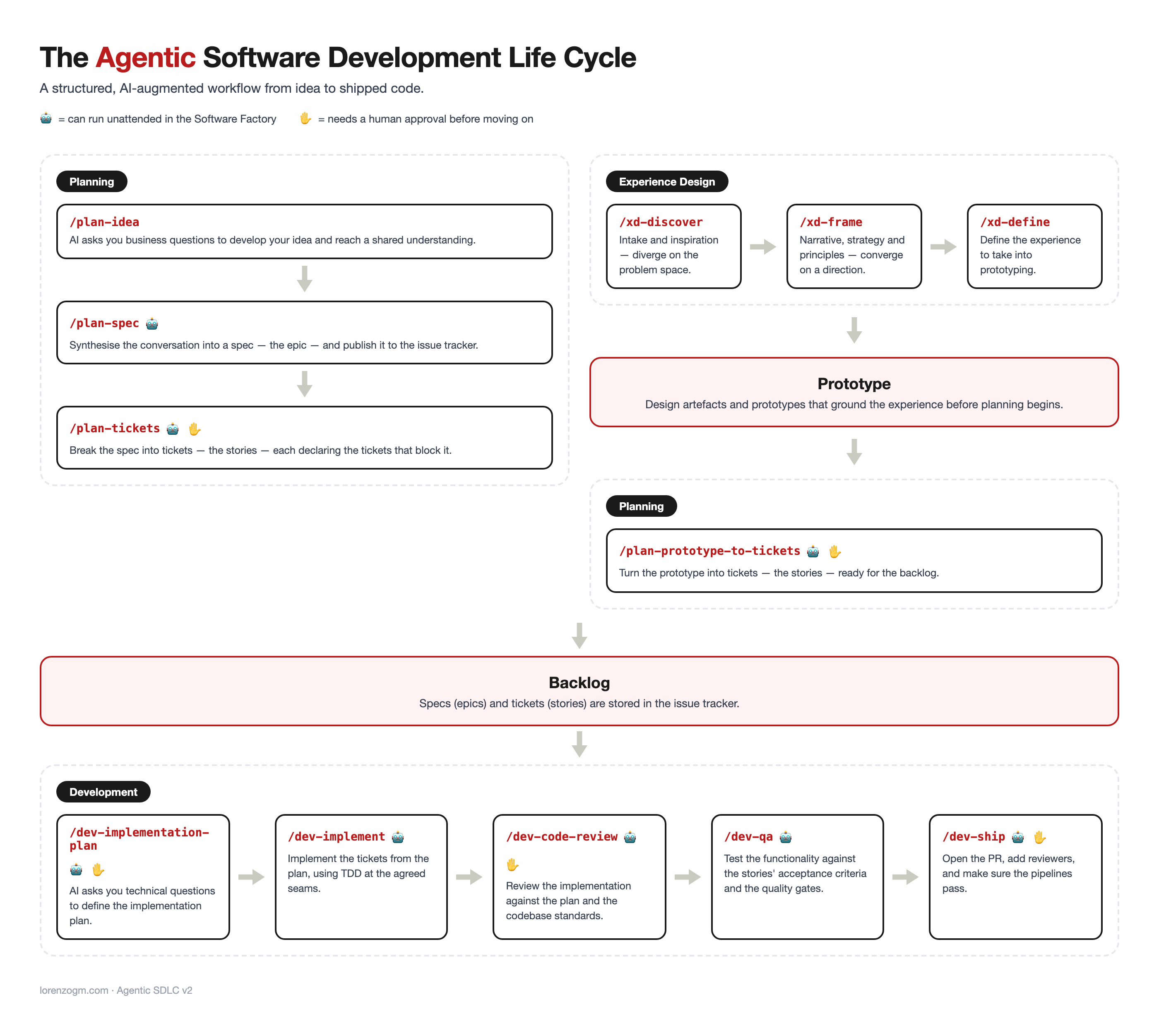
This article describes the workflow I use — a structured Agentic Software Development Life Cycle (ASDLC) built around three layers: Planning, Backlog, and Build.
The Three Layers
Most development processes have two modes: planning and building. The gap between them is where context gets lost. Requirements are discussed in meetings, maybe written in a doc somewhere, and by the time a developer picks up a ticket, the "why" behind it has evaporated.
The ASDLC solves this by making the backlog the explicit middle layer — not a side effect of planning, but its primary output.
Planning → Backlog → Build
Each layer has its own set of skills, its own goal, and its own quality gate.
Planning: Business First, Technical Second
The planning phase has one job: fill the backlog with business information, not technical implementation details.
This is a deliberate constraint. When you mix business requirements with technical decisions too early, you end up with tickets that are too specific in the wrong direction — they prescribe the implementation before the problem is fully understood.
Step 1: Define the Epic with /grill-with-docs
The first skill is /grill-with-docs. It grills you on what you're trying to do, using your existing documentation as context. The output is a shared understanding of the goal.
The questions are uncomfortable on purpose: Why does this matter? Who benefits? What does success look like? What are we explicitly not doing?
This is where the team aligns on the problem before anyone thinks about the solution.
Step 2: Create the PRD with /to-prd
Once the grilling session has surfaced the key decisions, /to-prd turns that conversation into a Product Requirements Document. The PRD captures the "why", the scope, the constraints, and the success criteria — all in structured form.
This is not a technical document. It's a business document that technical decisions will later reference.
Step 3: Break It Down with /to-issues
The final step in planning is /to-issues, which reads the PRD and generates a set of independently-actionable tickets. Each ticket is a vertical slice: small enough to implement in a session, large enough to be meaningful.
The result is a backlog ready for development.
Backlog: The Middle Layer
The backlog is not a list of tasks. It is the contract between the business and the engineering team — written in business language, structured for implementation.
Each ticket in the backlog carries:
- The context from the grilling session
- The requirements from the PRD
- Acceptance criteria that can be verified end-to-end
This is what makes the Build phase reliable. When an agent picks up a ticket, it has everything it needs to understand the goal before writing a single line of code.
Build: From Ticket to Deployed Feature
The build phase has five steps, each with a specific skill.
Step 1: Pick a Ticket with /triage
/triage selects the next ticket to work on. It considers dependencies, priority, and context to recommend the right ticket at the right time. This is not just picking the top item in the queue — it's a deliberate sequencing decision.
Step 2: Implementation Plan with /grill-with-docs
Yes, /grill-with-docs appears again. This time, the context is technical. The skill grills you on the implementation: What files are affected? What are the edge cases? What approach makes the most sense given the existing architecture?
The output is an implementation plan — a technical brief that guides the coding session.
Step 3: Hand Off with /handoff
/handoff compresses the current session context into a structured document. This is what gets loaded into the next agent session, ensuring continuity without repetition.
This step solves a real problem: AI agents have context windows. A handoff document is a deliberate, lossless compression of everything the next session needs to know.
Step 4: Implement with /tdd
/tdd runs the red-green-refactor loop. Tests are written first, against the acceptance criteria from the ticket. Implementation follows, guided by the failing tests.
The test-first approach is not just good practice — it's what makes the final QA step meaningful. You can't verify behavior in the browser if you haven't defined what that behavior is.
Step 5: Verify with /qa
The final step is where the cycle closes. /qa is a custom skill built on top of agent-browser, a fast native browser automation tool.
It loads the acceptance criteria from the ticket, opens the browser, and verifies each criterion end-to-end — navigating real routes, filling real forms, checking real outputs. It records the entire session as a video and reports pass/fail against each criterion.
This is not unit testing. This is behavioral verification in the actual environment.
Why This Works
The ASDLC works because it separates concerns at every layer:
- Planning keeps business and technical contexts apart until it's useful to merge them.
- Backlog carries the context forward without losing it at handoffs.
- Build executes with enough structure to be reproducible, but enough flexibility to handle real complexity.
The skills from Matt Pocock's skills library provide the structure. The custom /qa skill closes the loop with real verification.
The result is a cycle that can be handed off, resumed, and iterated — with AI agents doing the heavy lifting and humans focusing on the decisions that actually matter.
The Skills
| Phase | Skill | Purpose |
|---|---|---|
| Planning | /grill-with-docs |
Define the epic with business context |
| Planning | /to-prd |
Create the Product Requirements Document |
| Planning | /to-issues |
Generate backlog tickets from the PRD |
| Build | /triage |
Pick the next ticket |
| Build | /grill-with-docs |
Create the implementation plan |
| Build | /handoff |
Compress context for the next session |
| Build | /tdd |
Implement with test-driven development |
| Build | /qa |
Verify acceptance criteria end-to-end |
All skills except /qa are from Matt Pocock's open-source skills library. /qa is a custom skill available at github.com/lorenzogm/skills, built on top of agent-browser.
The ASDLC is not a framework you adopt all at once. Start with one phase. Use /grill-with-docs before your next planning session. See what questions it surfaces. The rest follows naturally.